
You come home from the store with 60 € of groceries. You, your partner and your roommate each have stuff in the bag: the bottle of wine for tonight (3-way split), the organic pasta only your roommate eats, everyone’s personal hygiene stuff. Who owes what?
A few years ago, nobody really knew. Either you spent 20 min logging everything by hand when you got home, or you split 3 ways and somebody quietly got screwed. Today you just snap a photo of the receipt and AI does the rest. Let’s look at how.
What the AI actually does on a receipt#
You photograph the receipt and the AI reads the image directly. It handles cleanly printed receipts as well as receipts with weird layouts, struck-through text or conditional promos.
Concretely, it pulls:
- The list of items with their prices
- The promotions (per-item or global, like loyalty discounts)
- The total paid after discounts
- The store and the date
That’s exactly what we built into Koabit, the mobile app we’re developing for shared households (couples, roommates, families): you snap the receipt, the AI breaks it down, and each line becomes a sub-expense you can assign to the right person. Koabit also handles tasks, calendar and shared budget in the same app. The idea is one single place for the household’s whole logistics.
What really changes in a shared household#
The time saved is obvious. But the real shift is elsewhere: it’s psychological.
Before, people simplified. “Groceries, split 3 ways.” Except that simplification built silent micro-unfairnesses: one eats organic (so pricey), one’s vegetarian but subsidizes the beef, one has personal bathroom products buried in the total. Those inequities pile up and turn into resentment (it’s actually one of the reasons splitting expenses with roommates is the #1 source of conflict in shared flats).
With AI scanning, splitting item by item is just as fast as splitting evenly. The receipt becomes an interactive list: this 3.50 € thing, is it yours? The wine, all three of us? 30 seconds and you’re done.
Result: each person pays exactly what they consumed. No mental math, no debate, no tension.
Known limits#
Honest truth: AI isn’t magic. Three issues come up regularly:
Bad photo. Blurry, dark, crooked: the model struggles to read. The trick is flat, good light, receipt unfolded. For long receipts, Koabit lets you take up to several shots of the same receipt (max 20) which are then merged to reconstruct a complete receipt.
Abbreviated names. Supermarkets write “PASTA 500G GAR” for “pasta 500g garofalo”. AI rebuilds it 90% of the time, but sometimes you have to edit the name by hand to make it readable.
Conditional promos. “30% off the second” or “buy 3, save 2 €”: AI sees the promo but may attach it to the wrong line. Safety net: if the computed total doesn’t match the receipt total, an alert tells you so you can fix it.
Concrete use cases#
Weekly roommate groceries. 3 roommates, 80 € of groceries, mixed stuff. Before: 20 min to log. Now: photo, 30 s, done.
Restaurant with friends. The shared bill where everyone ordered something different. Instead of 10 min struggling with a phone calculator, you scan and split. Conversation stays at dessert, not on the math.
International roommates. Receipt in euros but your roommate pays in dollars? The app auto-converts at today’s rate. 150+ currencies supported in Koabit.
Bonus: auto-categorization#
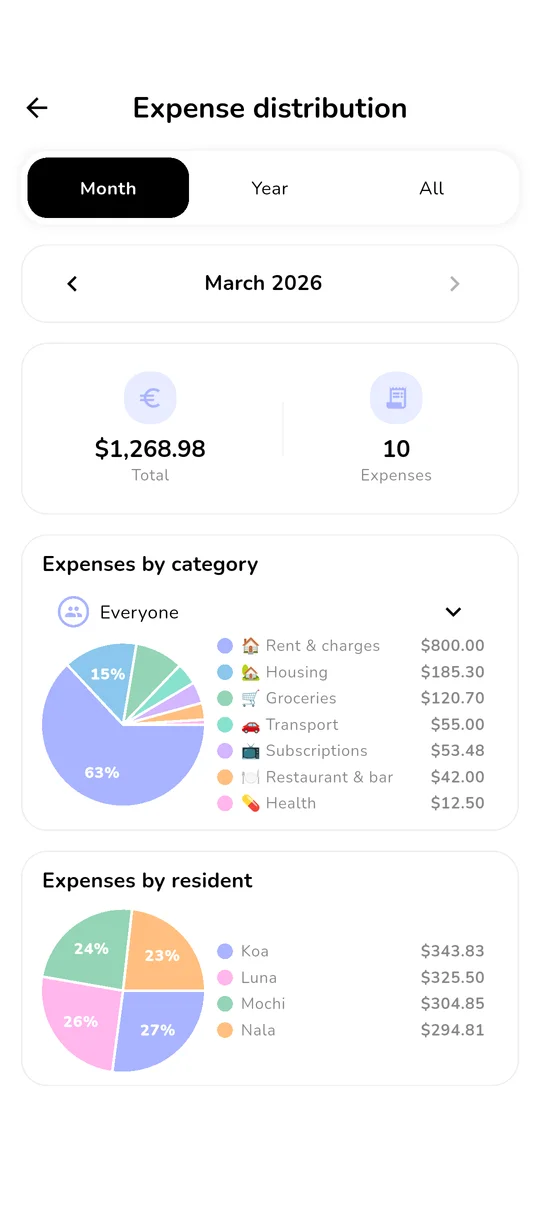
Often-underrated perk: once the receipt is scanned, the same AI can auto-sort the expense into the right category (food, hygiene, drinks, cleaning…). End of the month, you see how much went to groceries vs restaurants vs leisure without having categorized anything manually.
For a household that wants to track its budget without spending 2 hours a week on it, that’s huge.
And privacy?#
Fair question. We thought about it when building Koabit:
- On Koabit’s side, photos aren’t stored. They transit to an AI service for analysis, only the receipt’s structured text is then saved to your household.
- Nothing is resold. Your expenses are used only for your household, period.
- Everything is encrypted (HTTPS in transit, Firestore encrypts data at rest).
In short#
AI receipt scanning turns a 15-minute chore into a 30-second move. Better: it makes fair item-by-item splitting possible, which was just unrealistic before. In a household or shared flat, it removes a big chunk of the silent micro-unfairnesses that wear relationships down.
This article is part of The complete guide to shared living, which also covers household chores, shared expenses, mental load and the mood journal.
Want to try AI scanning on a real receipt? Koabit includes it natively: item, price and promo detection, auto-categorization, instant split across roommates or household members in 30 seconds. Free, no ads, no subs, on iOS and Android. Install it, scan your next receipt, you’ll see why you can’t go back.